🚫 No uploads♾️ No monthly limits🎞 Unlimited videos📴 Works offline🧼 No watermarks☁️ No cloud dependency
AI Engine
Choose speed. Or accuracy. Or let it decide.
Three local Whisper engines, tuned and managed for you — with adaptive workers that scale to your CPU/GPU.
Fast
Distil Whisper
Quick drafts & previews
92–95% accuracy
Smallest download (~1.5 GB)
Great on older machines
Balanced · Default
Large-v3 Turbo
≈45s for a 5-min video*
95–98% accuracy
The sweet spot for creators
Song & speech aware
Studio
Whisper Large-v3
Maximum accuracy
98%+ accuracy
For client work & archives
Word-level alignment
🧠 Auto mode detects songs vs speech and picks the right engine — bhajans automatically get the music-tuned pipeline. *Hardware-dependent.
Dual Transcripts + Formatting Engine
One transcript. Every platform.
The raw AI transcript is preserved forever. Regenerate the subtitle layout for any platform in one click — no retranscribing. Try it:
Raw transcript (always preserved)
every morning the river carries the same song to the temple steps and the city slowly wakes to it
⟶
Song Mode
Built for songs, bhajans & karaoke
Most subtitle tools are built for speech. Caption Cut's lyric alignment engine is built for music — and it shows.
Official Lyrics Sync
Paste the official lyrics (or import .txt / .lrc) before transcribing. Caption Cut aligns your words to the audio instead of guessing them — so the wording is exactly right, even on the lines AI would mishear.
Karaoke Video Generator
Build a full lyric video from scratch — pick a background image or looping video, choose the isolated instrumental or the original audio, add word-synced highlighted lyrics, and export vertical (9:16), square (1:1) or landscape (16:9).
Vocal & Instrumental Separation
Split any song into two clean tracks — 🎙 vocals and 🎹 instrumental. Switch between them during playback, save either as a .wav, and feed the instrumental straight into your karaoke video as the backing track. Runs locally; no stem-separation service, no upload.
Bhajan Mode
Built-in Sanskrit & devotional vocabulary boost (Govind, Radha, Shyam, Mahadev, Narayan…) for dramatically more accurate bhajan and kirtan transcription.
Your Lyrics, The Singer's Timing
Give Caption Cut your lyrics and it stops guessing the words entirely — the AI is used only to find where each line is sung. Every line lands on the voice, a phrase held twice as long stays on screen twice as long, and nothing appears over the instrumental intro. Sanskrit and Devanagari keep the spelling you typed, exactly.
A Timeline You Want To Work In
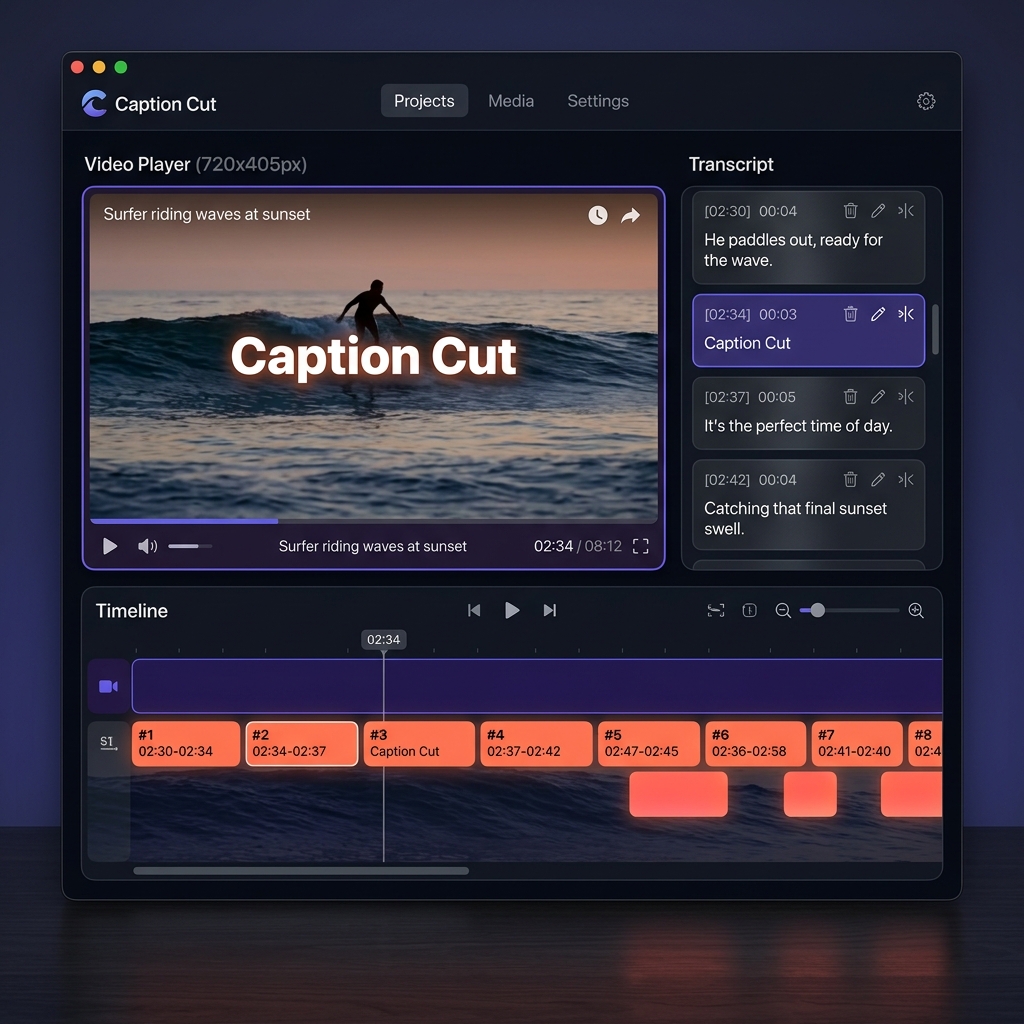
A real waveform that shows the song's shape — verses, refrains and breaks — lighting up as it plays, in 10 colour themes you choose from. Subtitle blocks grow under your cursor so you can read a line without zooming, and remove with one click.
Make It Yours
Ten waveform themes
The played part of the song lights up as it plays, karaoke-style. Pick the look you want — it is remembered.
Aurora defaultSunsetOceanMagmaElectric Teal
…plus Indigo Core, Neon, Emerald, Rose Gold and Platinum.
Pro Timeline
An editor that respects your hands
Drag-and-snap timeline, live quality analysis, and keyboard-first editing throughout.
S
Split at playheadand M merges with the next cue
⌘K
Command paletteevery action, one keystroke away
⌘F
Find & replacefix a misheard name 50× in one click
⌘Z
50-step undoplus named Project Snapshots
⚠
Quality Analyzerreading speed, overlaps, gaps — with one-click ⚡ Auto-Fix
🧲
Magnetic snappingblocks align to neighbors as you drag
Batch Processing
100 videos? Sleep on it.
Queue a whole folder, walk away, and wake up to finished subtitle files — or ready-to-post captioned MP4s.
📁Drop 100 videos
→
🗂Queue with one settings template
→
🌙Process overnight
→
✅Done — even auto-shutdown
Adaptive workers scale with your CPU/RAM · failed jobs retry automatically · optional burned-in MP4 export per video · the queue survives restarts.
Clip Range
Transcribe only the part you need.
Set a start and end time and Caption Cut works on that section alone — useful when you only need one segment of a long recording.
🎬Drop your file
→
✂️Set the range
→
🧠Transcribe locally
→
📤Edit & export
Translation
Same timing. New language.
Offline translation packs convert your subtitles with every timestamp preserved — show original and translation together.
🇮🇳हिंदी
→
🇬🇧English
→
🇪🇸Español
→
🇳🇱Dutch
Plus offline transliteration for Hindi & 9 Indic scripts — native script, romanized, or both on screen at once.
Motion
Make every word unforgettable
20+ cinematic caption animations, rendered identically in the preview and the final video.
Fade In
Fade In
Karaoke
Karaoke
Typewriter
Typewriter
Pop!
Word Pop
Slide Up
Slide Up
Neon Glow
Neon Glow
Output
Every format. 26 languages.
Export formats
SRTVTTASSTXTJSONMarkdownCSVBurned MP4LRC — soon
Transcription languages
HindiEnglishSpanishFrenchGermanPortugueseJapaneseKoreanArabicTamilTeluguBengaliGujaratiMarathiPunjabiKannadaMalayalamNepaliUrdu+ 14 more & auto-detect
Yes — 100%. The AI models run locally on your machine. After the one-time model download, no audio, video or text ever leaves your computer. License activation needs internet once.
Does it support songs and karaoke?›
This is Caption Cut's specialty. Paste official lyrics (.txt/.lrc) and every word aligns to the audio automatically. The built-in Karaoke Video Generator then exports a finished lyric video with word-by-word highlighting — vertical, square or landscape.
What is the Source / Formatted transcript system?›
Every project keeps two synchronized views: the Raw transcript exactly as the AI produced it, and Formatted subtitles optimized for the screen. Edit either one, compare them side by side, and regenerate the formatted layout for any platform (YouTube, Netflix, Shorts, Karaoke, Podcast…) at any time — without retranscribing.
Does it use my GPU? Apple Silicon?›
Yes. The engine automatically uses your GPU when available and is optimized for Apple Silicon (M1–M4). It also protects low-RAM machines by scaling its workload — 8 GB RAM minimum, 16 GB recommended.
Windows and macOS?›
Both — native desktop builds for Windows 10/11 (64-bit) and macOS 12+ (Apple Silicon & Intel). One license covers 2 devices.
Can I process many videos at once?›
Yes — Batch mode queues unlimited files or whole folders, processes them in parallel with adaptive workers, retries failures automatically, and can burn subtitles into every video. Overnight Mode keeps the machine awake and can shut it down when the queue finishes.
Can I transcribe just part of a long video?›
Yes — set a start and end time (say, 02:00–05:30) and Caption Cut processes only that section instead of the whole file. Useful for pulling one segment out of a long recording without waiting for the rest.
How large can my videos be?›
There's no upload, so there's no file-size limit — multi-hour recordings work fine. Processing time scales with length and your hardware; batch mode's dynamic chunking keeps memory usage stable on long files.
What formats can I export?›
SRT, VTT, ASS (with karaoke word timing), plain text, JSON, Markdown and CSV — plus burned-in MP4 video export. Raw transcripts export separately in five formats.
Does it translate my subtitles?›
Yes — offline translation packs (Hindi ⇄ English, Spanish, French, German and more) translate every cue with its original timing preserved, and can display original + translation together. Hindi and 9 other Indic scripts also get instant offline transliteration.
Do I get updates after buying?›
Yes — the $15 / ₹1299 license includes lifetime free updates. The app checks for new versions and shows a "What's New" summary after each one.
What's the refund policy?›
14-day no-questions-asked money-back guarantee. If you're not satisfied, email us and we'll refund you immediately.
Your videos. Your voice. Zero cloud.
Caption Cut is part of the B2R ecosystem — building privacy-first digital infrastructure.